Case Study
E-commerce Product Page
A responsive e-commerce product page. This project focuses on implementing a dynamic product gallery, cart functionality, and accessible UI interactions using modern frontend practices. Key features include a lightbox image viewer, cart state management, and a fully responsive layout.
Preview
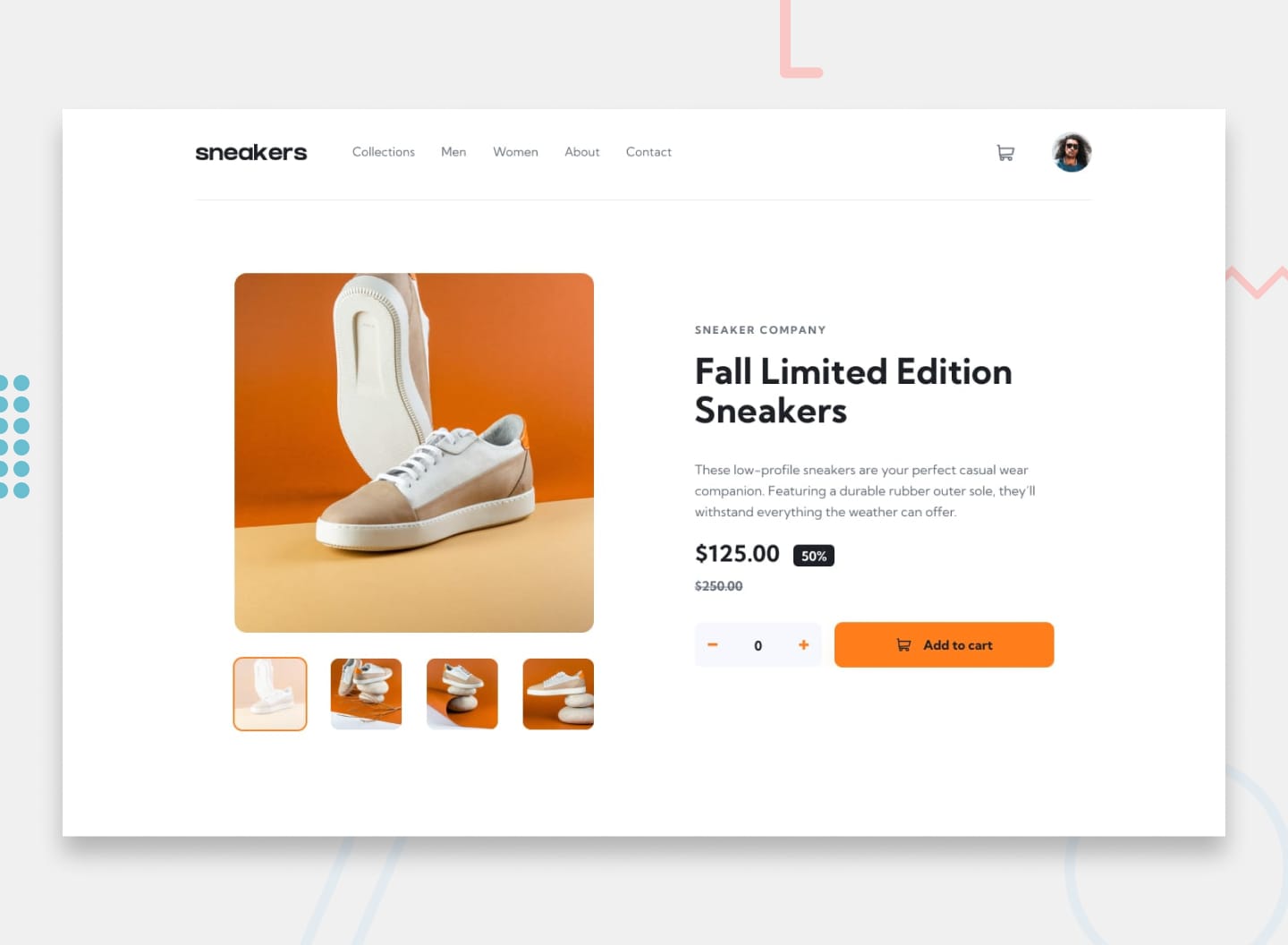 Desktop
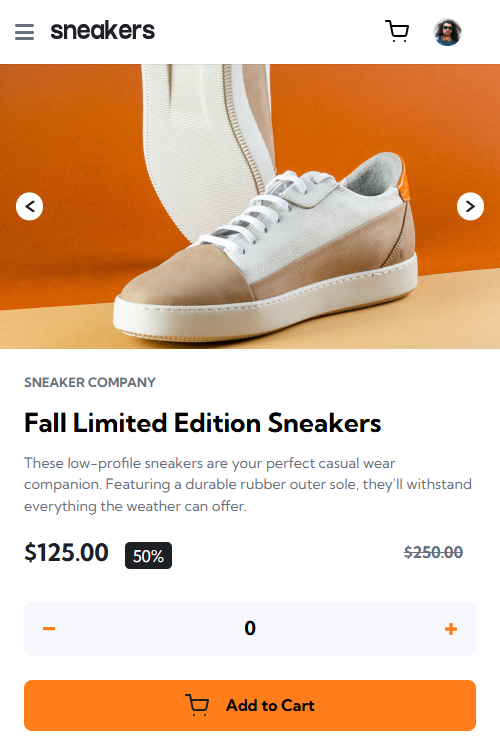 Mobile
Overview
About This Project
The Brief
Frontend Mentor's intermediate e-commerce product page challenge. The goal was to create a realistic product page for a fictional sneaker brand with:
- A responsive image gallery with thumbnail navigation
- Desktop lightbox overlay for zoomed image viewing
- Mobile-first layout with hamburger navigation
- Quantity selector and add-to-cart functionality
- Cart dropdown modal with item management
No frameworks. Vanilla HTML, CSS, and JavaScript only.
My Approach
-
Structure first:
I started with semantic HTML — organizing the page into logical sections: header (with nav drawer and cart modal) gallery (main image + thumbnails), product info, and lightbox. Each section had a clear purpose, which made the JavaScript bindings straightforward later. - Mobile-first CSS: Base styles target mobile devices (single-column layout, hidden thumbnails, visible arrow buttons). Desktop media queries add the two-column grid, show thumbnails, and hide arrows. This forced thoughtful decisions about what elements are truly necessary at each breakpoint.
- State management: Rather than querying the DOM repeatedly, I centralized everything in a state object tracking currentImageIndex, lightboxIndex, quantity, and cart. A separate product object holds all product data (images, prices, descriptions). This made the code predictable — state changes trigger specific re-renders.
- Event delegation: Instead of attaching listeners to every thumbnail individually, I used document.addEventListener('click', ...) with .closest() to handle clicks on dynamically relevant elements. Reduced bloat and made the code more maintainable.
Challenges
Challenge 1: Keeping gallery and lightbox in sync
The gallery and lightbox show the same images but have separate state indices. Clicking a gallery thumbnail updates the gallery state, but the lightbox shouldn't follow unless you open it. Clicking lightbox thumbnails shouldn't affect the gallery unless you close the lightbox.
Solution: Maintain two separate state properties — currentImageIndex (gallery) and lightboxIndex (lightbox). When opening the lightbox, sync it to the current gallery image. When closing, optionally sync the gallery back (I made this intentional — closing the lightbox leaves the gallery wherever you navigated to in the lightbox). Two independent state machines that talk only when explicitly needed.
Challenge 2: Active thumbnail state management
Initially, I hardcoded the active class when rendering thumbnails based on currentImageIndex. But lightbox thumbnails should show active based on lightboxIndex. The same render function couldn't handle both.
Solution: Pass the active index as a parameter to renderThumbnails():
- renderThumbnails(container, className, activeIndex)
Now the function is reusable — gallery and lightbox each pass their own index.
Challenge 3: Cart positioning on desktop
The cart dropdown needs to appear below the cart icon on desktop, but mobile CSS handles it differently (centered modal). Hardcoding pixel values would break across screen sizes.
Solution: Used getBoundingClientRect() in JavaScript to calculate the cart icon's position dynamically, then positioned the dropdown absolutely relative to it. Desktop JS positioning + mobile CSS positioning — each handles its own layout.
Tools Used